
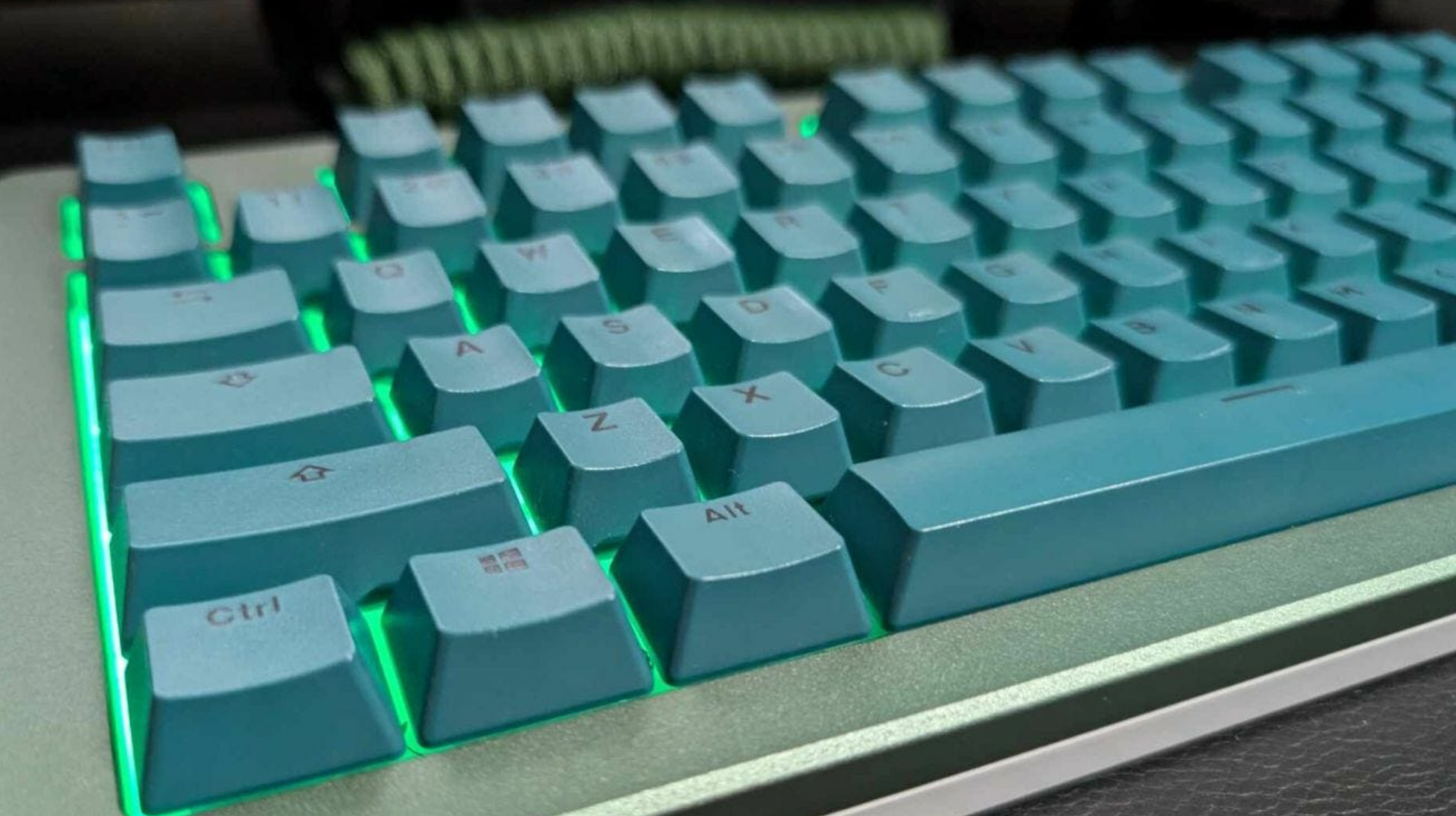
Like any keyboard, daily use can leave a mechanical board looking dirty, sometimes more so than its alternative, considering the keys are spaced out, allowing food and all manner of dirt to accumulate by the switches.
Since each keycap and switch is an individual component, thoroughly cleaning the board may seem daunting, but it’s necessary to maintain peak performance. Thankfully, mechanical keyboards are not hard to maintain and clean. It’s actually easier than cleaning a membrane keyboard, which offers more complicated access to its inner workings.
When it comes to mechanical keyboard maintenance, there are a few things to be mindful of to ensure safe handling and a prolonged lifespan. Having thoroughly cleaned my fair share of keyboards, mechanical and otherwise, I put together a quick cleaning guide, including tips on minimizing how often you need to perform routine maintenance.
Why Do Mechanical Keyboards Need Regular Maintenance?
Like any other computer peripheral, your mechanical keyboard needs proper care. Each switch is sensitive, and if you’re not careful, you will start losing letters of the alphabet to work with.
Think about what your board goes through in a week. Even just one day can be taxing, depending on how often you use it and the tasks at hand. Along with the natural oils on your fingers and the dirt you’ve accumulated throughout the day, keyboards are susceptible to the particles flying through the air, including airborne dust and pet hair.
All of this may not be visible at first, but if you don’t clean your board regularly, you’ll start to see physical signs of dirt and debris that can lodge into the switches and cause them to stick. You’d be surprised by the havoc hair alone can cause.
Are Mechanical Keyboards Harder to Clean?

Looking at a membrane keyboard, it looks like all you have to do is brush away at the surface and clean up any buildup around the keys. However, despite the tighter fit, there’s still quite a bit of dust under the tightly packed keys.
What’s best about a mechanical keyboard is that the letters are easily removable. Whereas the keycaps of a mechanical board are durable and can be removed in seconds, membrane keys are very thin, and the mechanics underneath can be fragile. One wrong move, and you’ll be down a key.
To remove keycaps, you need a designated puller. These typically ship with mechanical boards, but are available for purchase if needed. Once the keycaps are removed, there are several ways to clean a mechanical keyboard, including:
- Soft microfiber cloth or soft brush for light dusting
- White vinegar or rubbing alcohol to sanitize caps
- Handheld vacuum cleaner to remove loose dirt without removing keycaps
- Dish soap and Q-tips for deep cleaning switches and the plate
You may be tempted to run your full-sized vacuum over the board. I’d advise against that. On top of not being small enough to be efficient, if you aren’t careful, you can suck up a loose key or damage one. If you bend or crack the cap, it may not fit back in place.
Before you start cleaning, there are two fundamental rules to remember:
- Unplug the board before cleaning
- Don’t use abrasive cleaners
Can I Use Compressed Air on a Mechanical Keyboard?
Compressed air is a decent alternative for day-to-day maintenance, but it’s not an alternative to occasionally removing and cleaning beneath the keycaps. If you are going to use compressed air to remove loose dirt and dust, it’s best to take the keyboard outside.
Turn it upside down, and, using the hose attachment, blow air from under the keys. You’ll be shocked by the mess it would leave behind if done in your workspace.
How Often Should You Clean Your Mechanical Keyboard?

A good rule of thumb is to brush the dust from your keyboard weekly using a microfiber cloth or soft brush. I recommend turning it upside down over a garbage can every other day or so to remove any loose particles, but a more thorough cleaning should be done every two or three months. Of course, this is all dependent on how often you use the keyboard.
If you’re on it constantly for eight hours a day, a monthly timetable may be better for getting beneath those caps. There are other factors you should consider when deciding on a cleaning schedule, including:
- Whether you eat near your keyboard
- How often you wash your hands
- Is there an air vent blowing directly above
- Do you tend to shed hair frequently
- Are there pets in the same space
How Do I Protect My Mechanical Keyboard from Dust?
Battling dust can seem like a daunting task. No matter how much you clean, it will find a way in and hinder the mechanics. Protecting against dust just means more frequent cleanings, unless you have a keyboard cover.
These soft, comfortable membranes put a blanket of sorts over your keyboard to prevent anything from getting in. They are available in varying thicknesses, but consider a thinner option if you’re a gamer to prevent any interference.
What Happens If My Mechanical Keyboard Gets Wet?
If you drink near your keyboard, you’re at risk of damaging your board with a spill. Even water can be a death knell, so it’s important to be incredibly careful when drinking in your office or gaming space.
In the event there is a spill, immediately unplug the keyboard. Then:
- Shake out any excess liquid
- If it’s anything but water, remove keycaps and soak in a dish soap bath
- Air-dry the keycaps
- Once completely dry, place the keys back
If you think the liquid penetrated the switches, you may need to pull them out, as well, using a designated puller. These are far more delicate than the keycaps themselves, so work very gently to clean and dry them.
Using a cloth that won’t shed, you may even need to dry out the plate beneath the switches.
Taking Care of Your Mechanical Keyboard
Your PC’s peripherals are delicate, and failing to keep up with regular cleanings can cause them to malfunction. The more rigid you are about a cleaning schedule, the longer you’ll get the most out of your mechanical keyboard.
Though it may seem durable and capable of withstanding heavy abuse, the inner workings are fragile. This process may seem intimidating, but it’s all pretty basic and simply requires a light hand and your attention. It’s a very small price to pay for a functional mechanical keyboard that lasts well beyond its warranty period.



Leave a Reply